
Contractual risk, under control.
ContractIQ automates deadline management for construction claims and variations. Its clause logic is configurable to any contract form — with FIDIC Yellow Book and JCT already built in — so timebars never get missed on a spreadsheet.
Every timebar, calculated — the moment an event is logged.
Zero spreadsheets. One system of record for the claim lifecycle.
Full audit trail — every notice, deadline, and response timestamped.
Contractual timebars don't wait for your spreadsheet.
Strict timebars, zero mercy
FIDIC and JCT impose hard deadlines for notices. Miss one and the right to claim is extinguished — regardless of merit.
Manual tracking fails at scale
QS teams track this across spreadsheets. No alerts, no escalation — and it breaks down across dozens of live claims.
No audit trail when it matters
When disputes escalate, there's no clear record of who knew what, and when. That's exposure you carry into every dispute.
From event to determination.
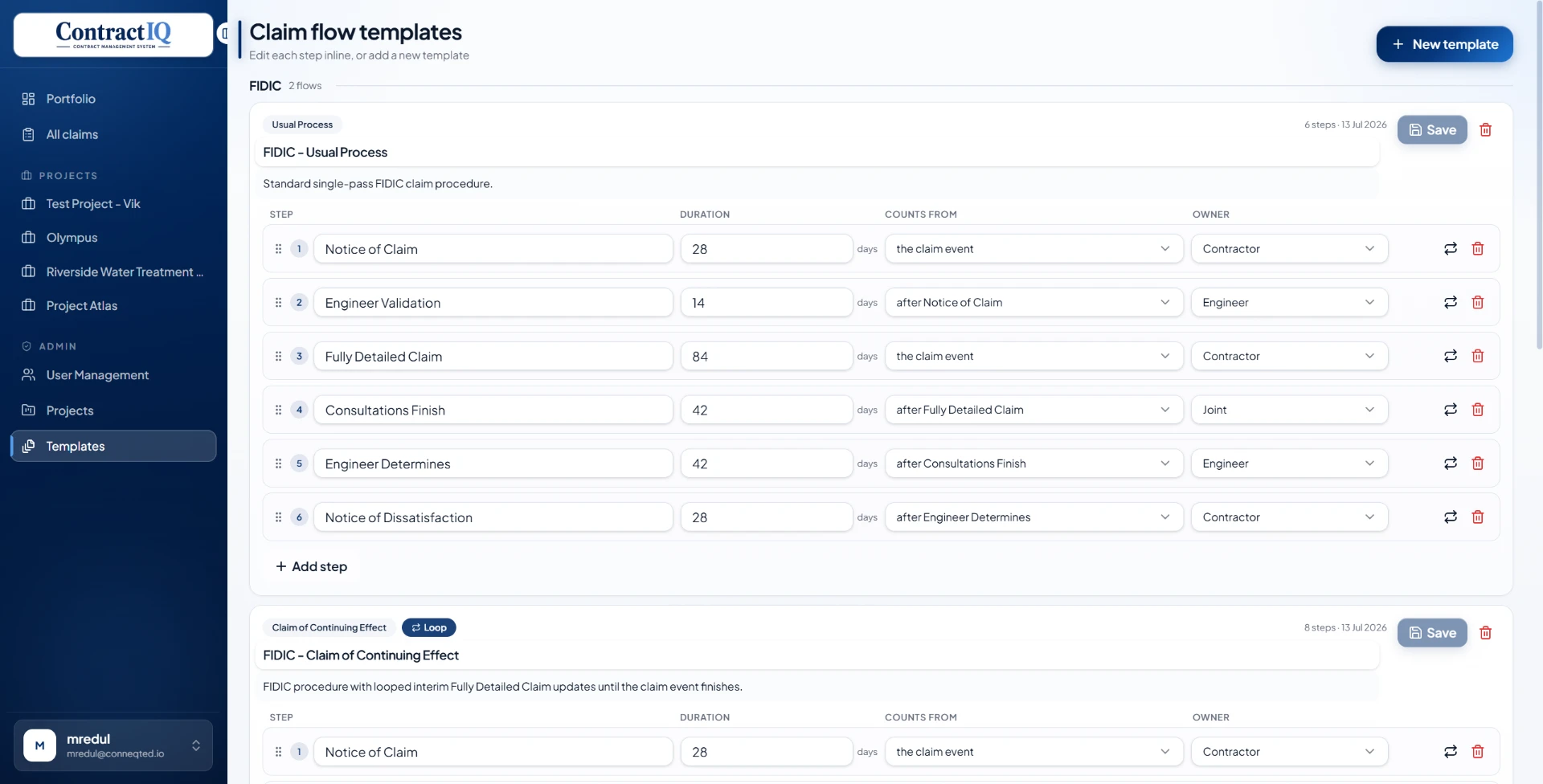
Every state runs on the clause logic of the contract you're actually administering — not a generic task workflow.
Event logged
ContractorQS records a delay or compensation event. System timestamps it and starts the clock.
Cloud-hosted, browser-based, live the same day. ContractIQ replaces the spreadsheet with a system that calculates deadlines, drafts notices, and retains the audit trail automatically.
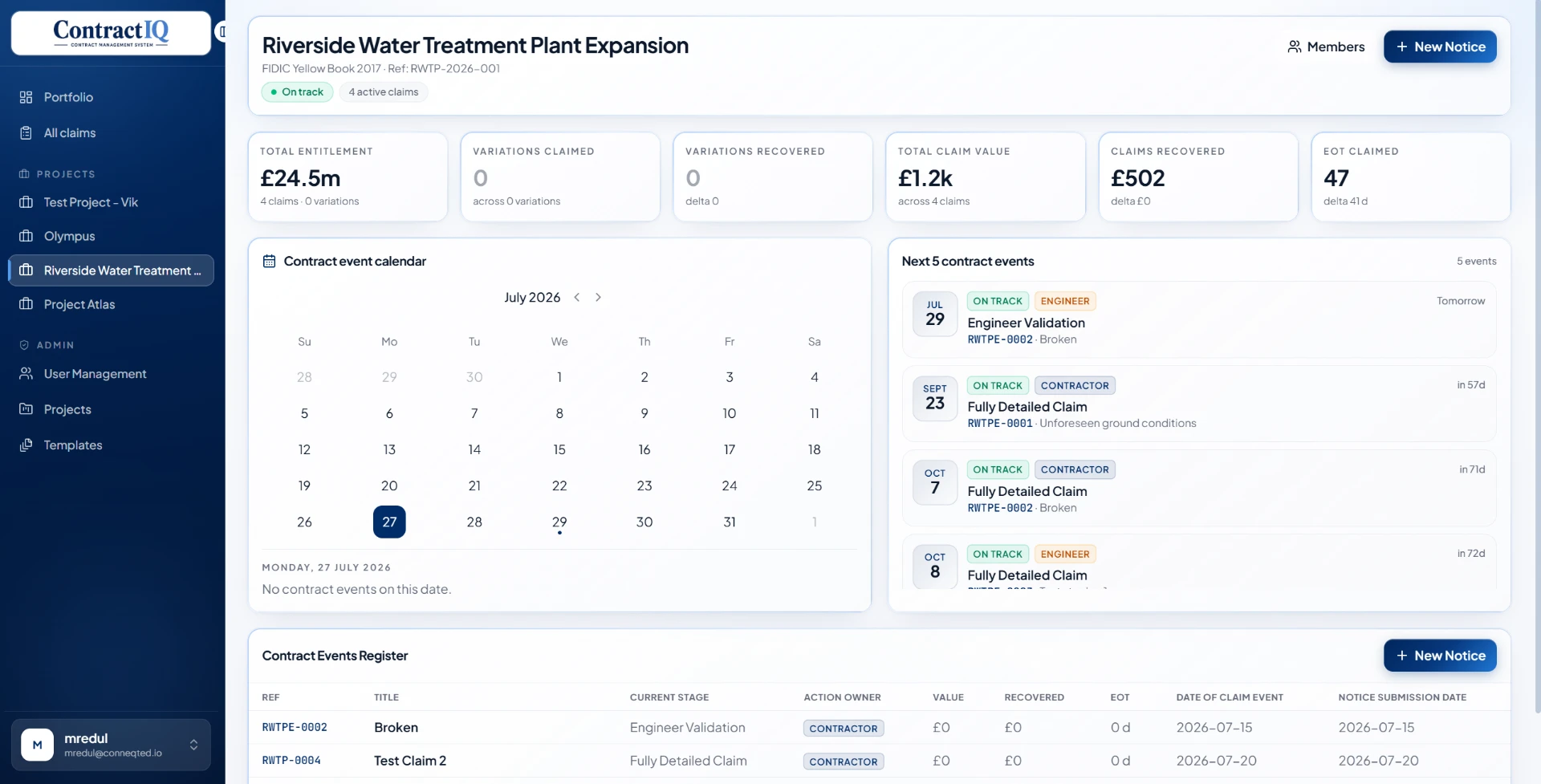
Deadline automation
Configurable reminders with UK bank holiday logic built in. Every deadline calculated the moment an event is logged.
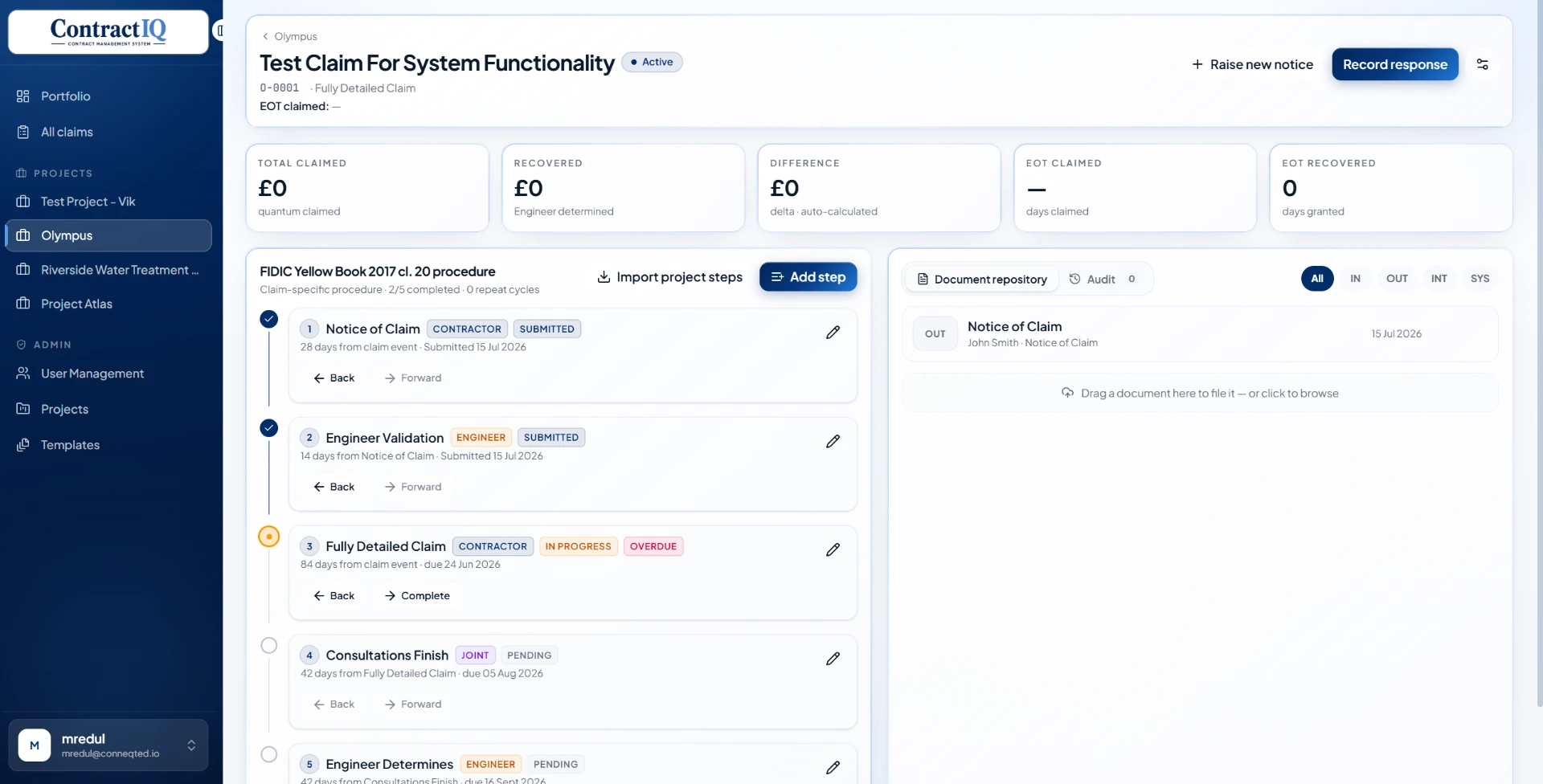
Claim lifecycle tracking
Every state from notice through determination, configurable per contract and project.
Document management
Evidence attached and version-controlled per claim, with a full repository and audit log.
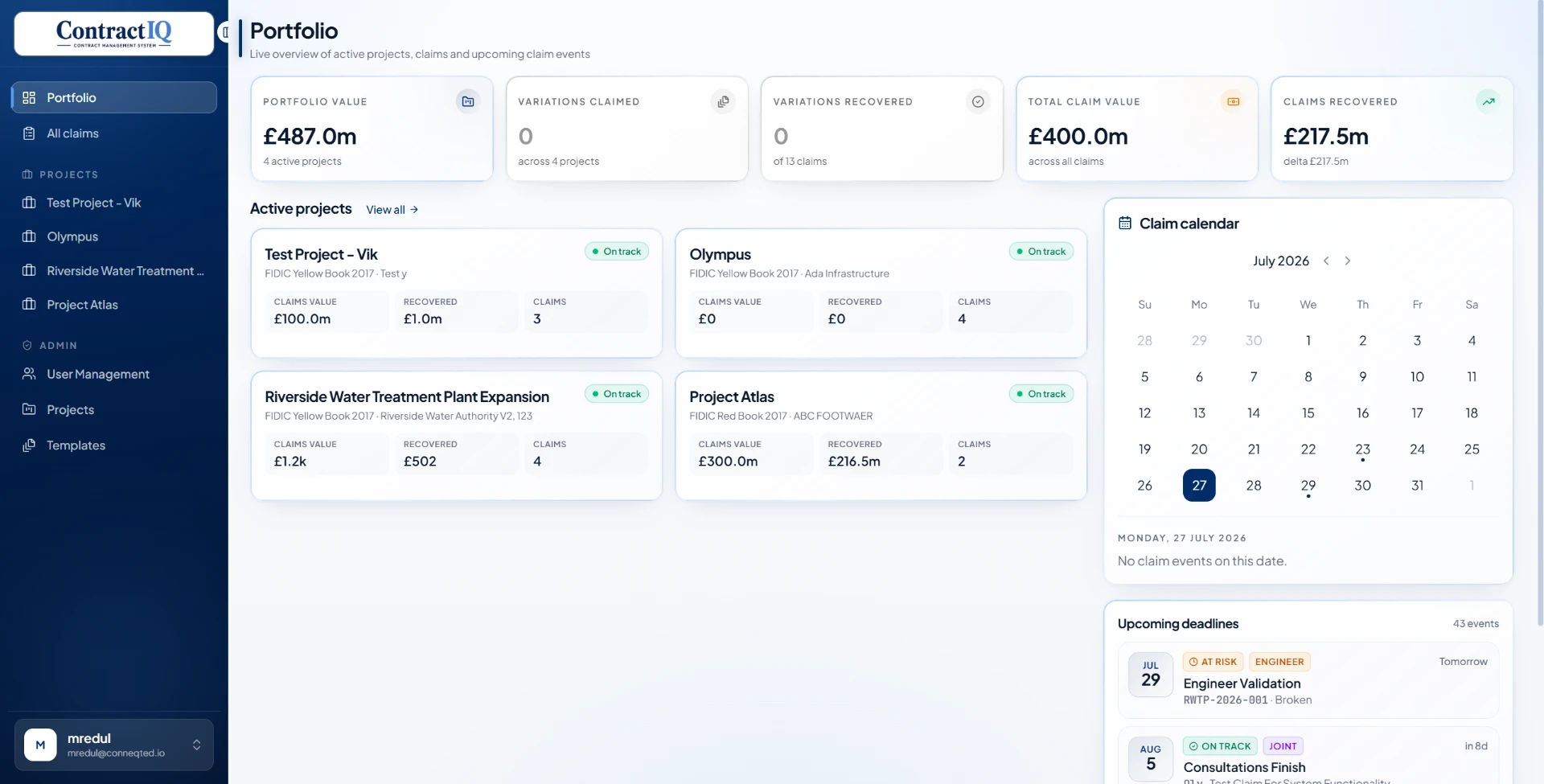
Portfolio dashboard
Real-time view across every live project, claim, and deadline — value, recovery, and risk at a glance.
Built for how QS teams actually work.
Permissions that match your commercial structure.
Every role sees exactly what it should — enforced server-side, logged on every action.
| Role | View claims | Log events | Approve / escalate | Configure clauses | Manage users |
|---|---|---|---|---|---|
DirectorFull visibility across the portfolio. No data edit rights. | Full access | No access | No access | No access | No access |
Commercial DirectorCross-project oversight. Approve, reject, or escalate any claim. | Full access | Full access | Full access | Limited access | No access |
Quantity SurveyorDay-to-day operational user. Logs events, drafts notices, files evidence. | Limited access | Full access | No access | No access | No access |
System AdminUser and project configuration. No access to live claim data. | No access | No access | No access | Full access | Full access |
Next steps
See ContractIQ against your live projects. We'll walk through deadline automation, the claims register, and the audit trail — no setup required to evaluate it.